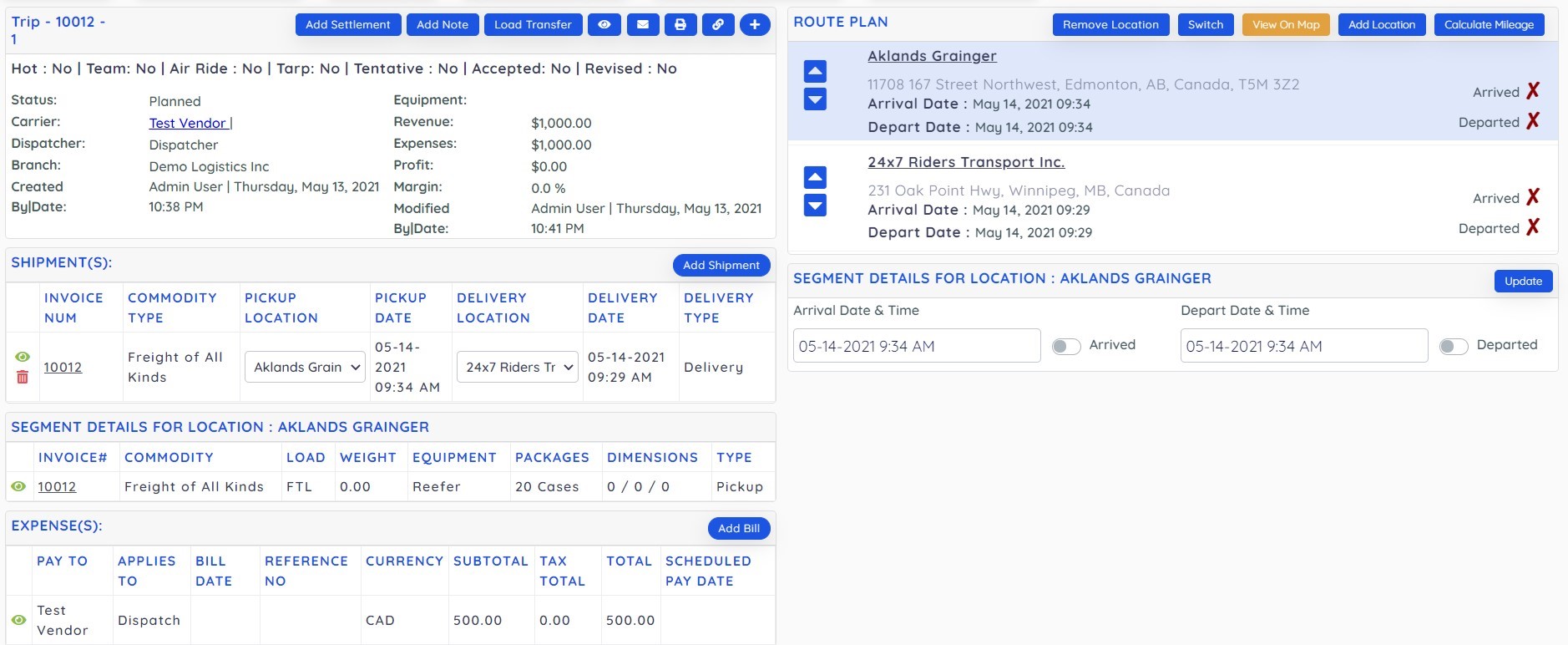
How to split a trip !
Suppose we have a trip from BC to Winnipeg as below and we want to split this trip from a middle location, say Alberta.
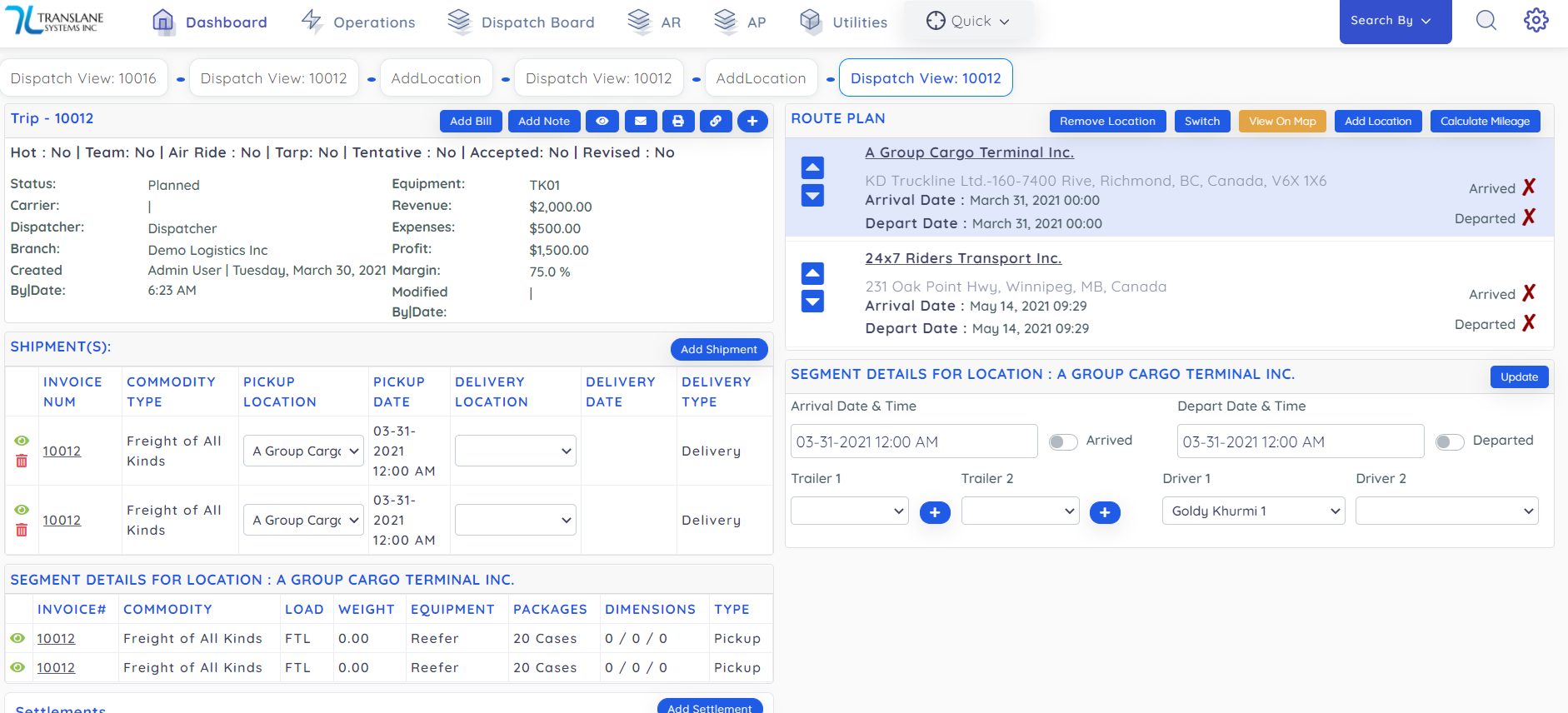
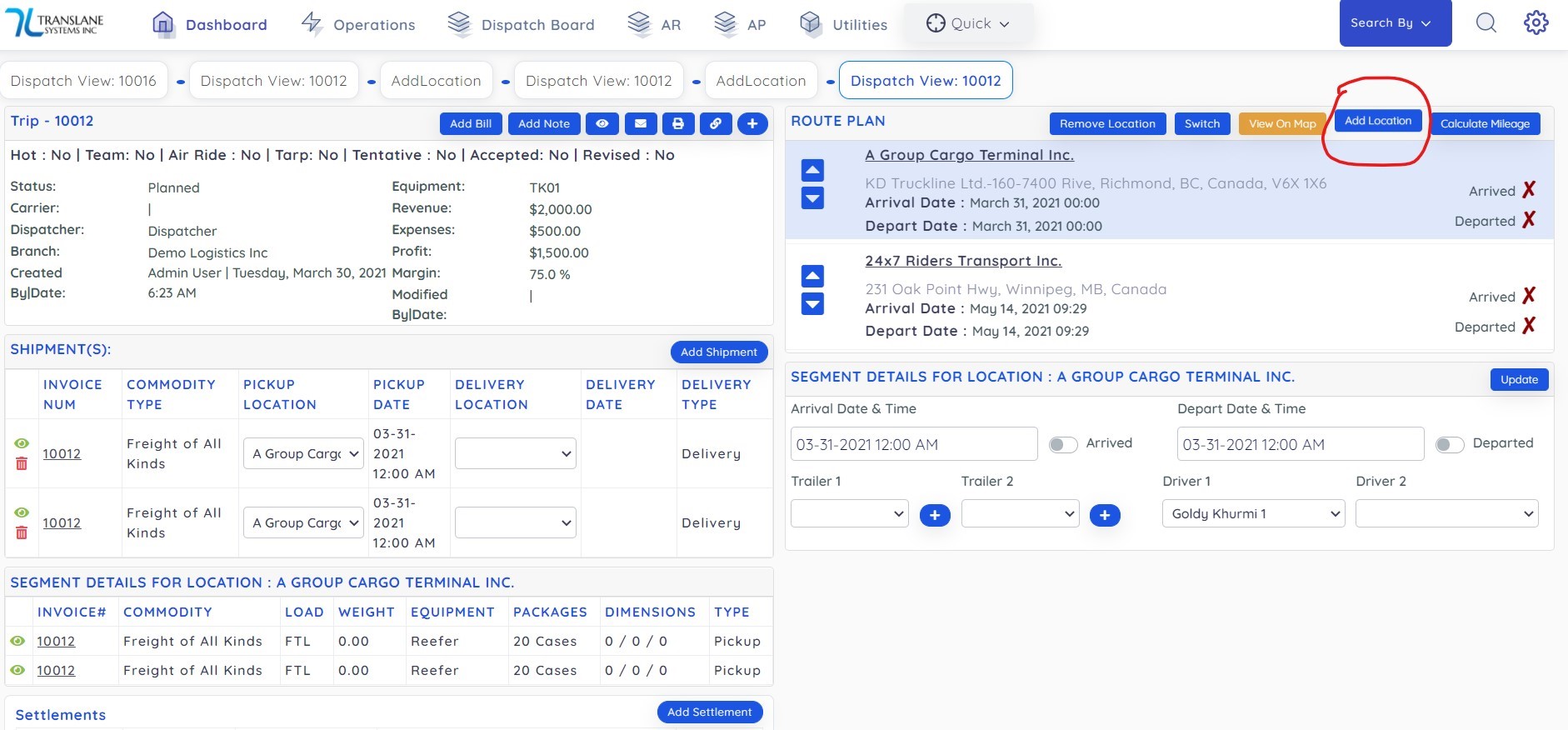
First step is to add split location as below :
- Add location
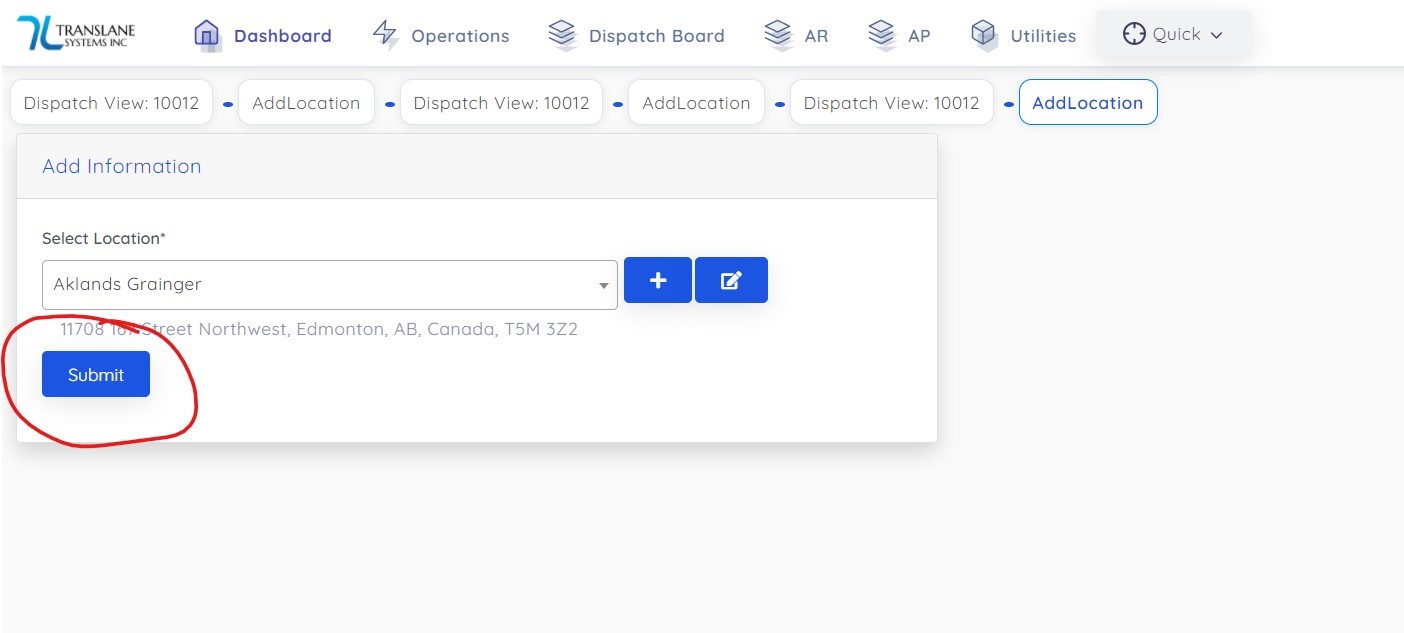
- Select location and click Submit to add:
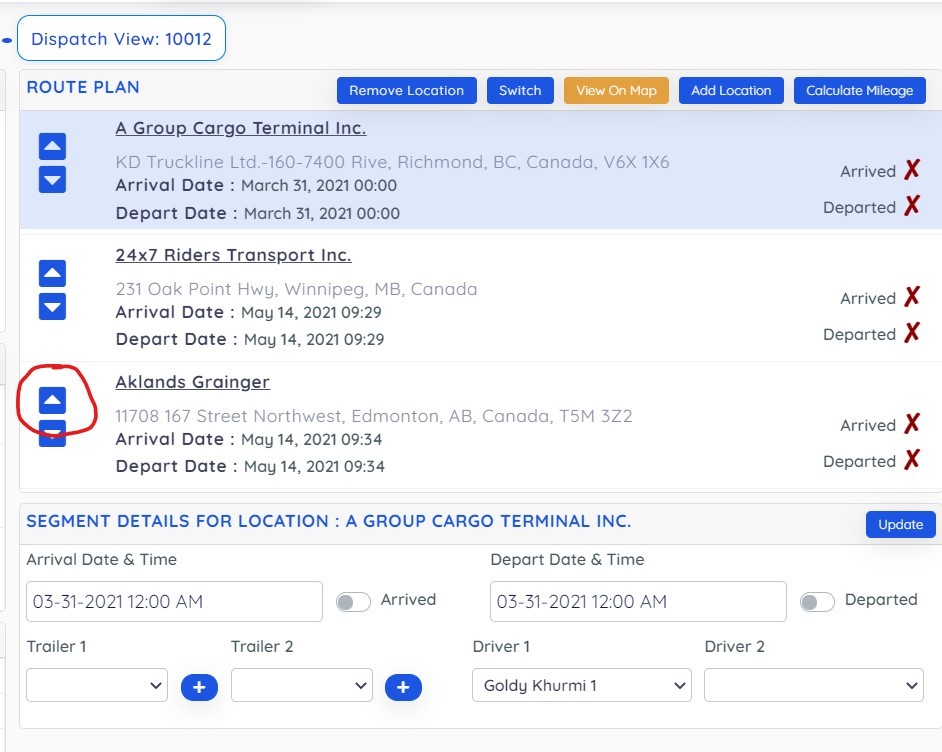
- Click on up arrow to move to the middle from where you want to split trip:
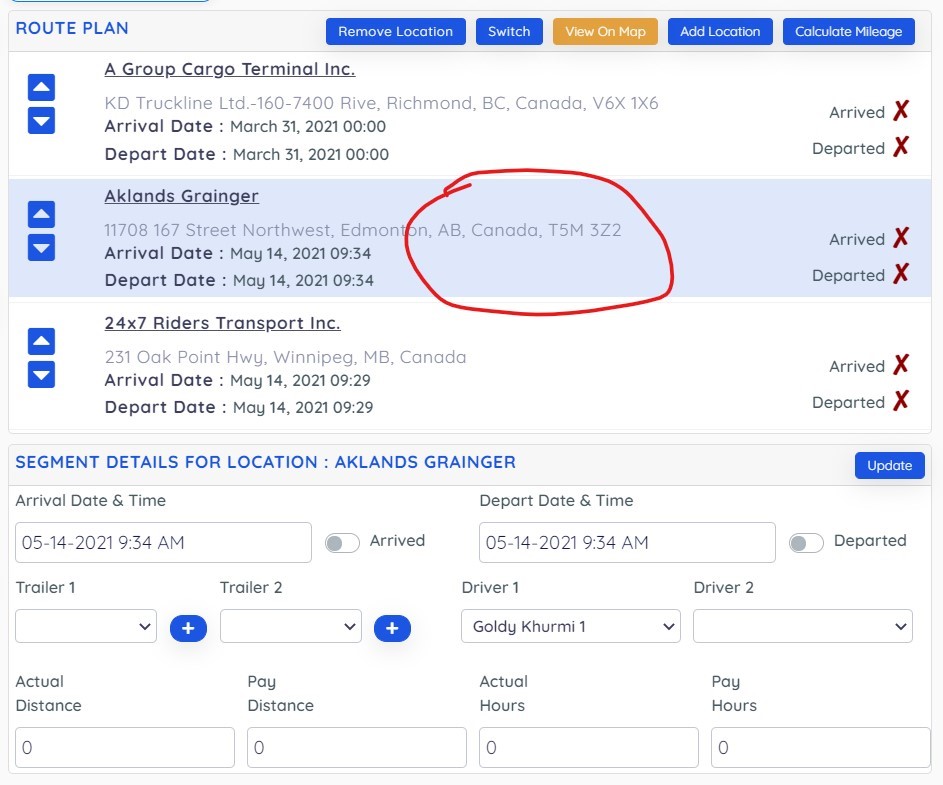
- Click in middle of the split location and highlight as below:
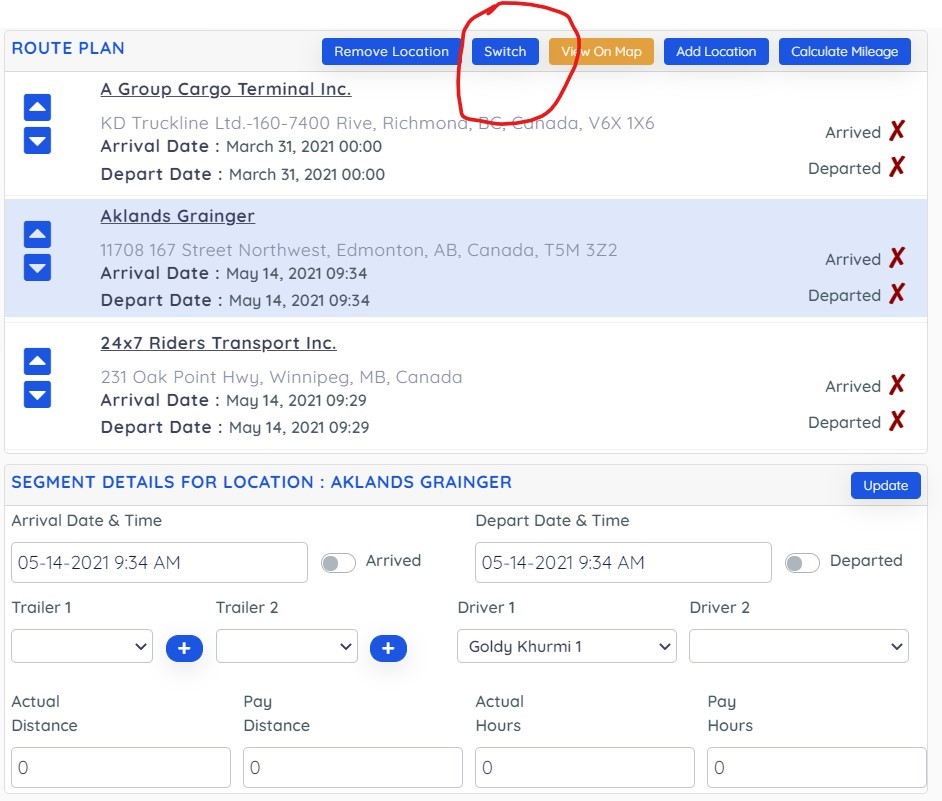
- Click Switch as below:
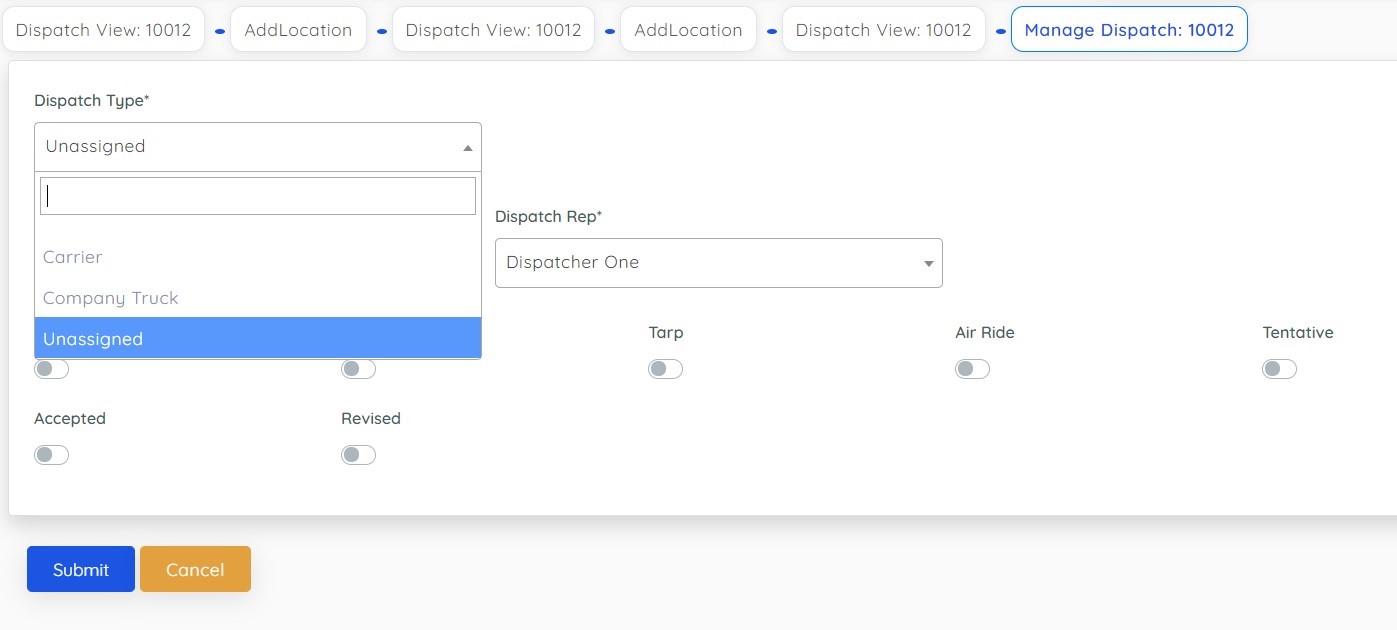
- Then system will ask you if you want to assign new leg to third party carrier or your company truck or if you want to keep it unassigned if its undecided as below:
- On Submit it will create new trip as below: