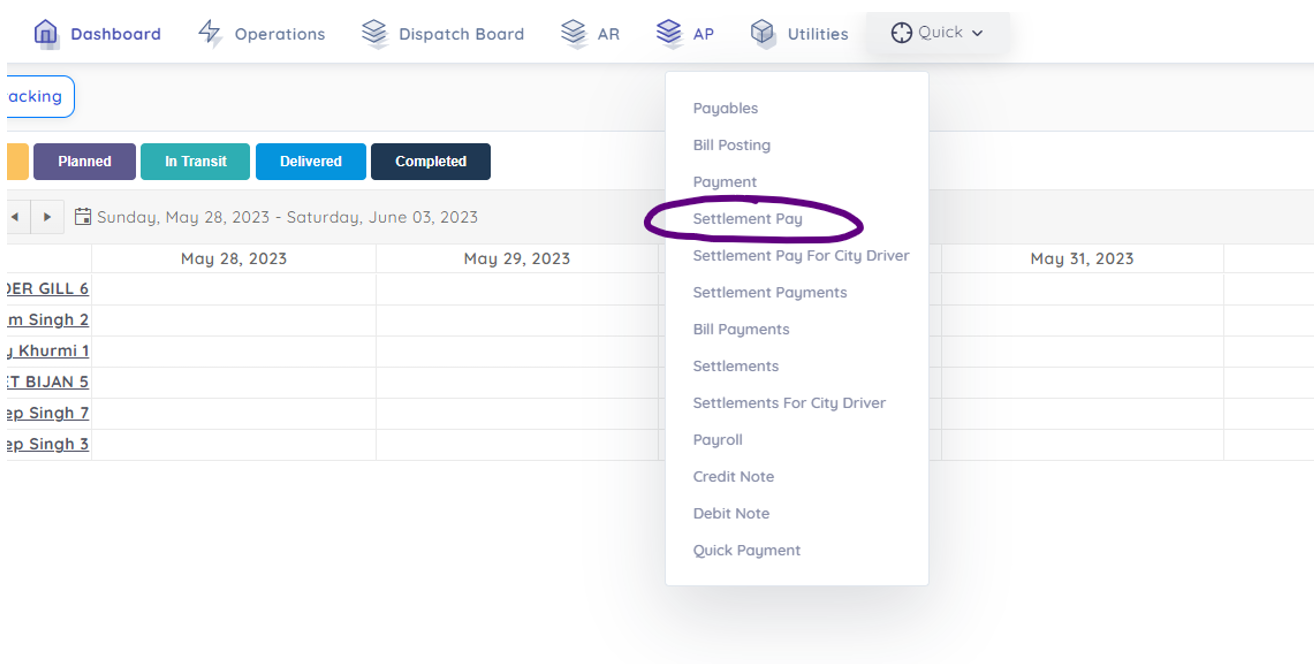
Step 1:
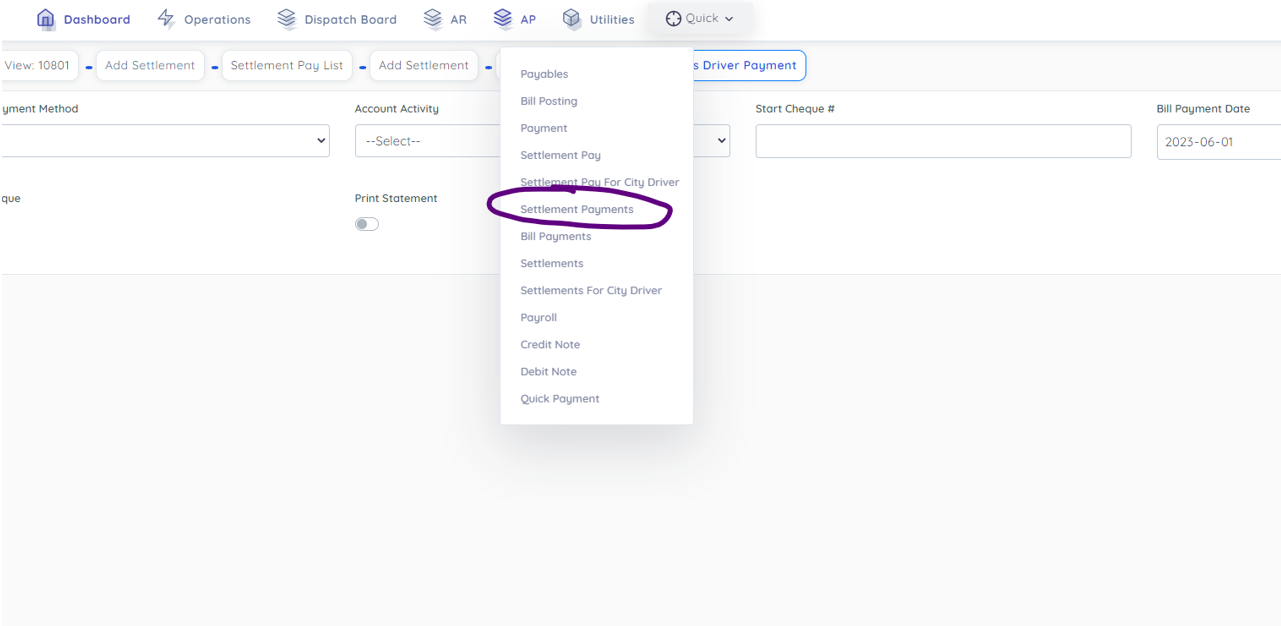
Click Settlement Pay.
Step 2:
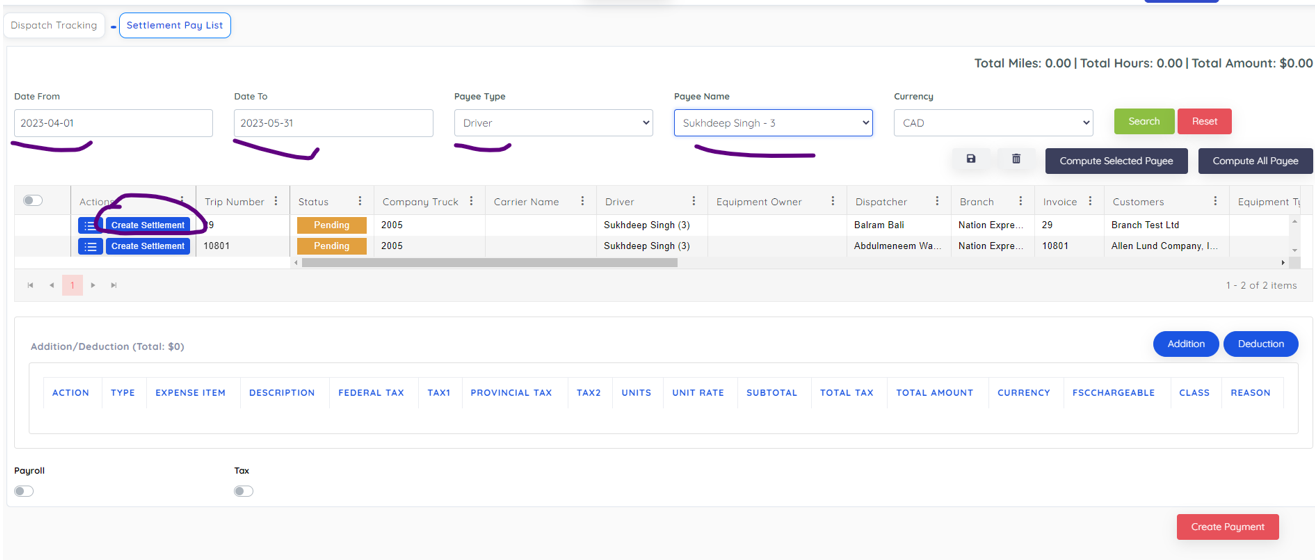
Select Pay Period and it will show all Trips made between these days by selected driver as below:
Step 3:
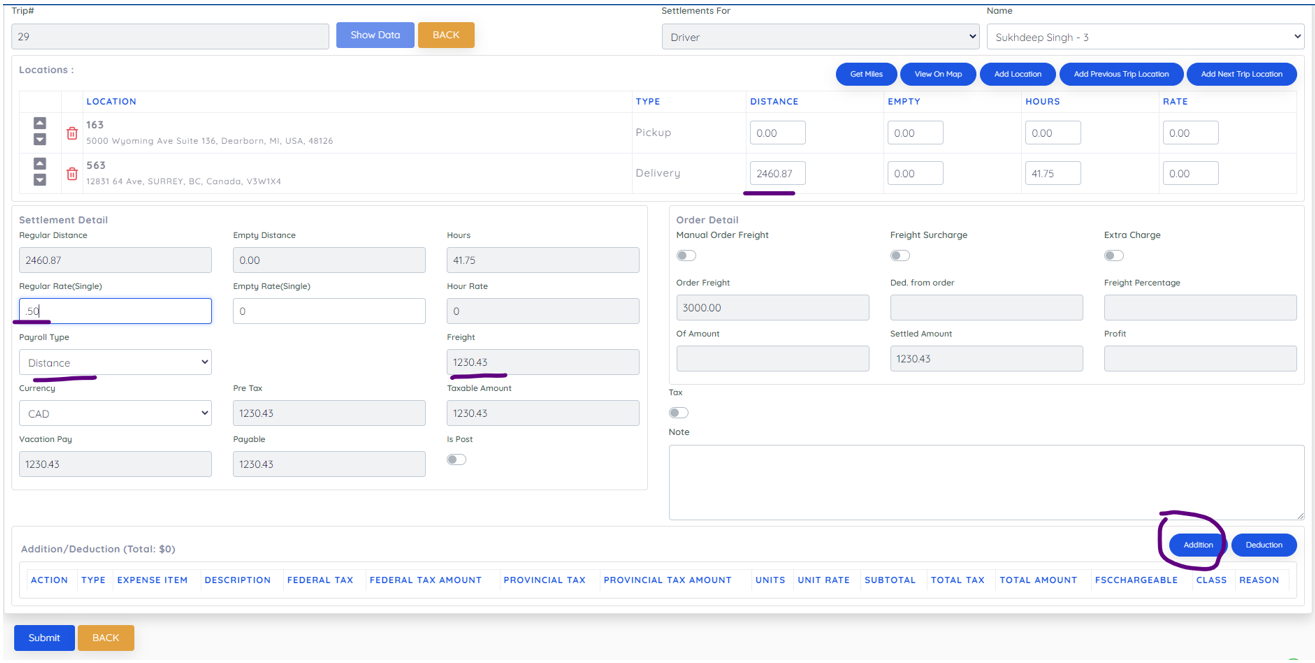
After Create Settlement it will show settlement according to price setting in his profile as below. Also you have option to add Empty move locations and addition or deduction you want to enter here.
Step 4:
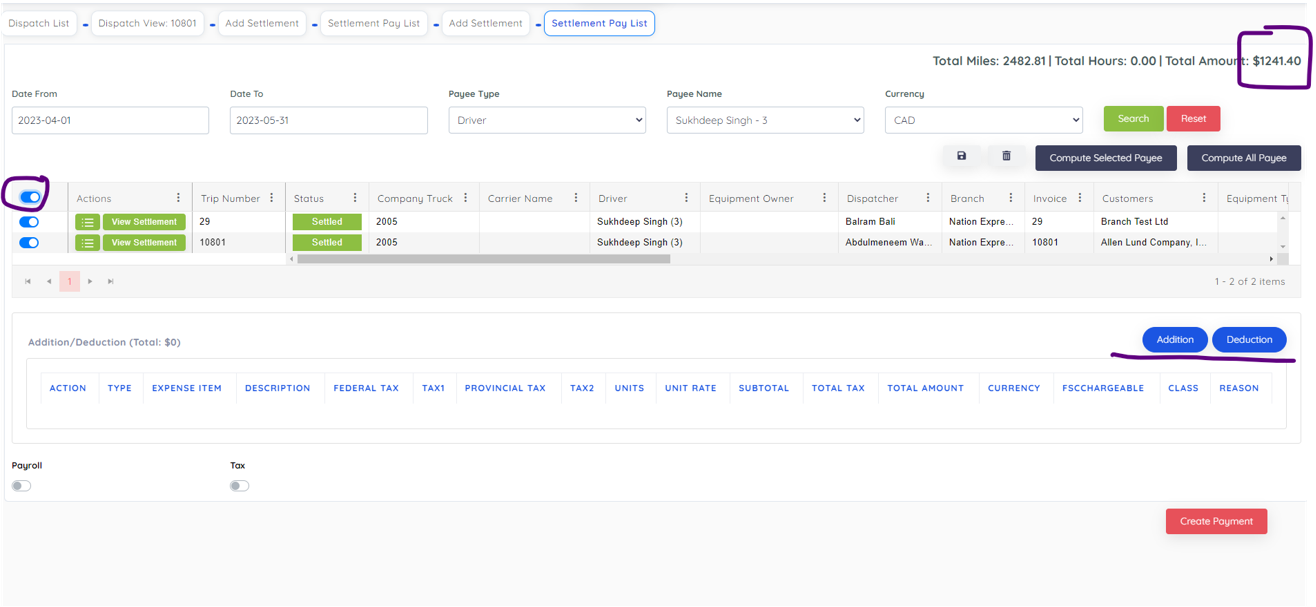
After creating settlement, you can select all loads and have option to addition or deductions. Then click create payment.
Step 5:
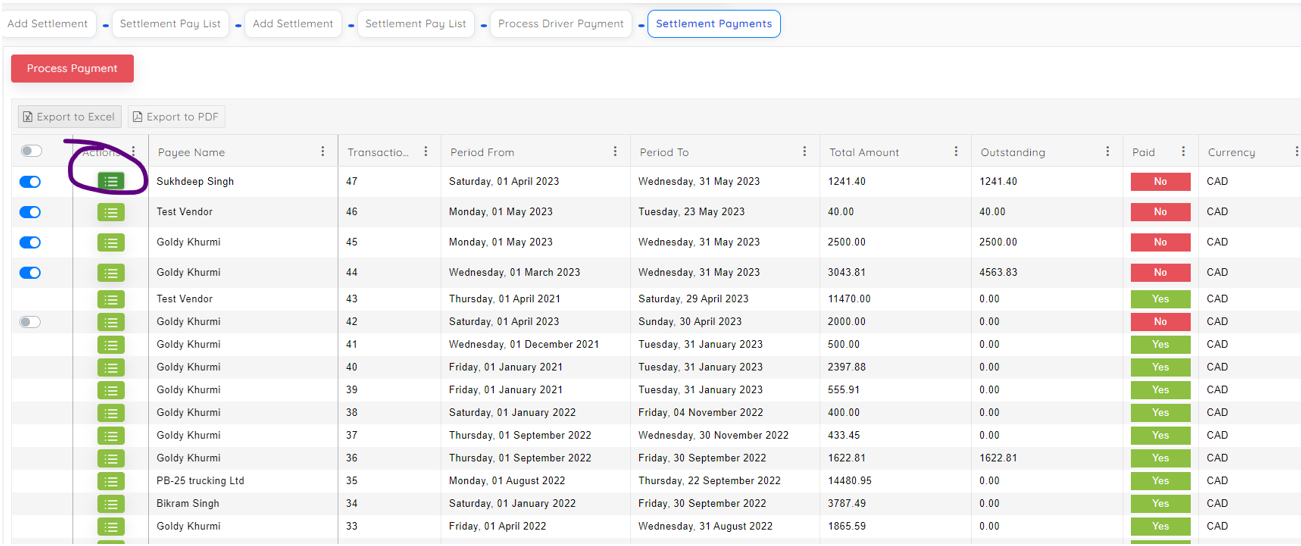
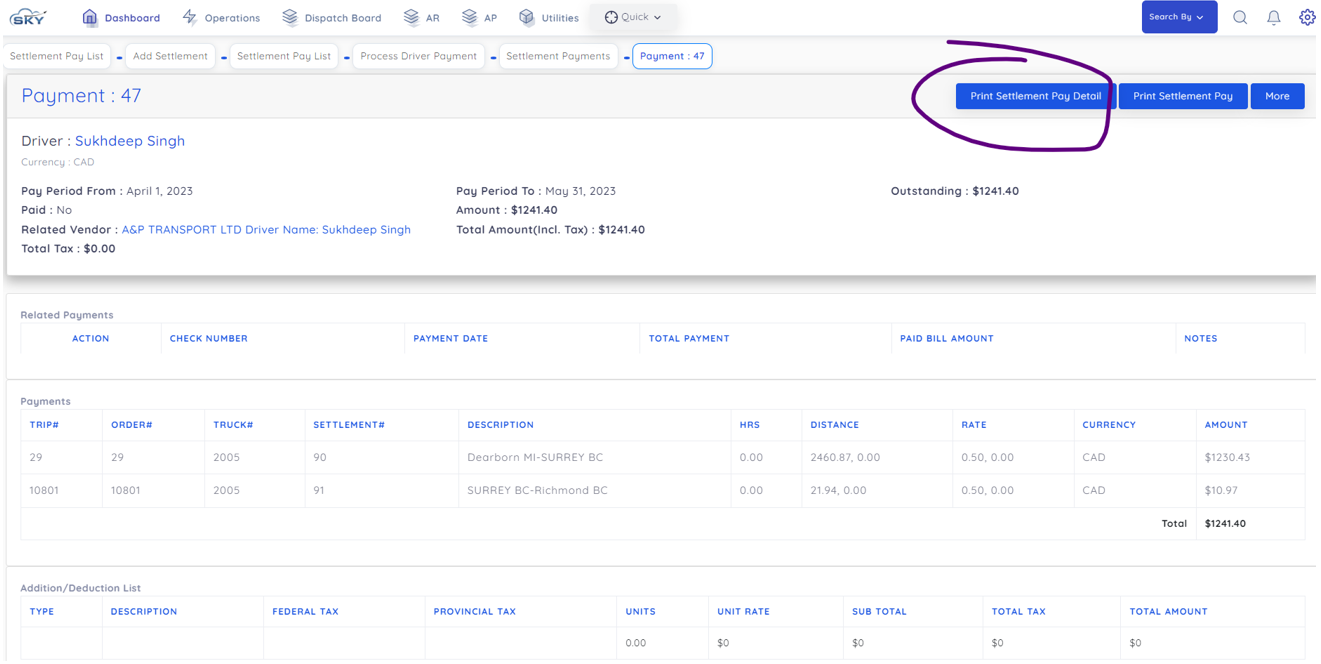
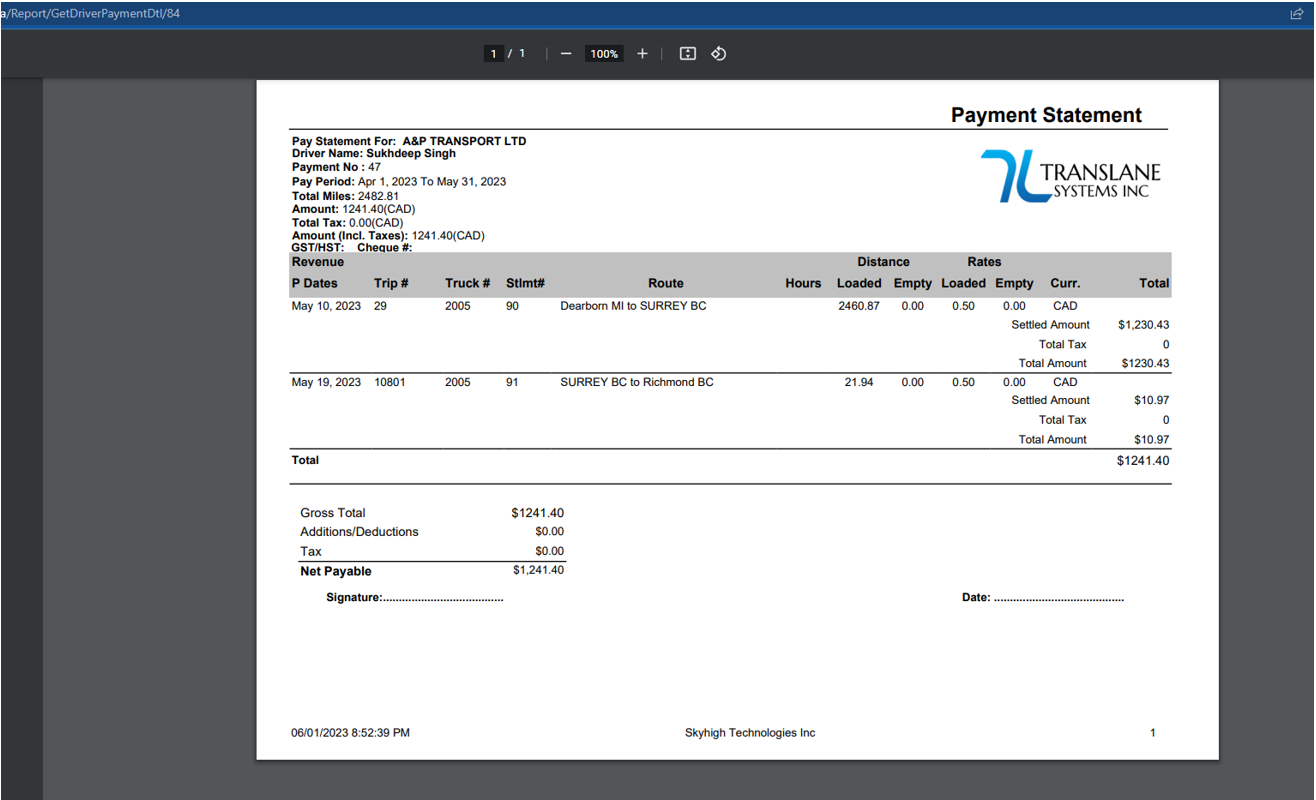
After create payment, you have option to clear payment or you can go to view settlement as below: