If you get error 500 then follow the below steps:
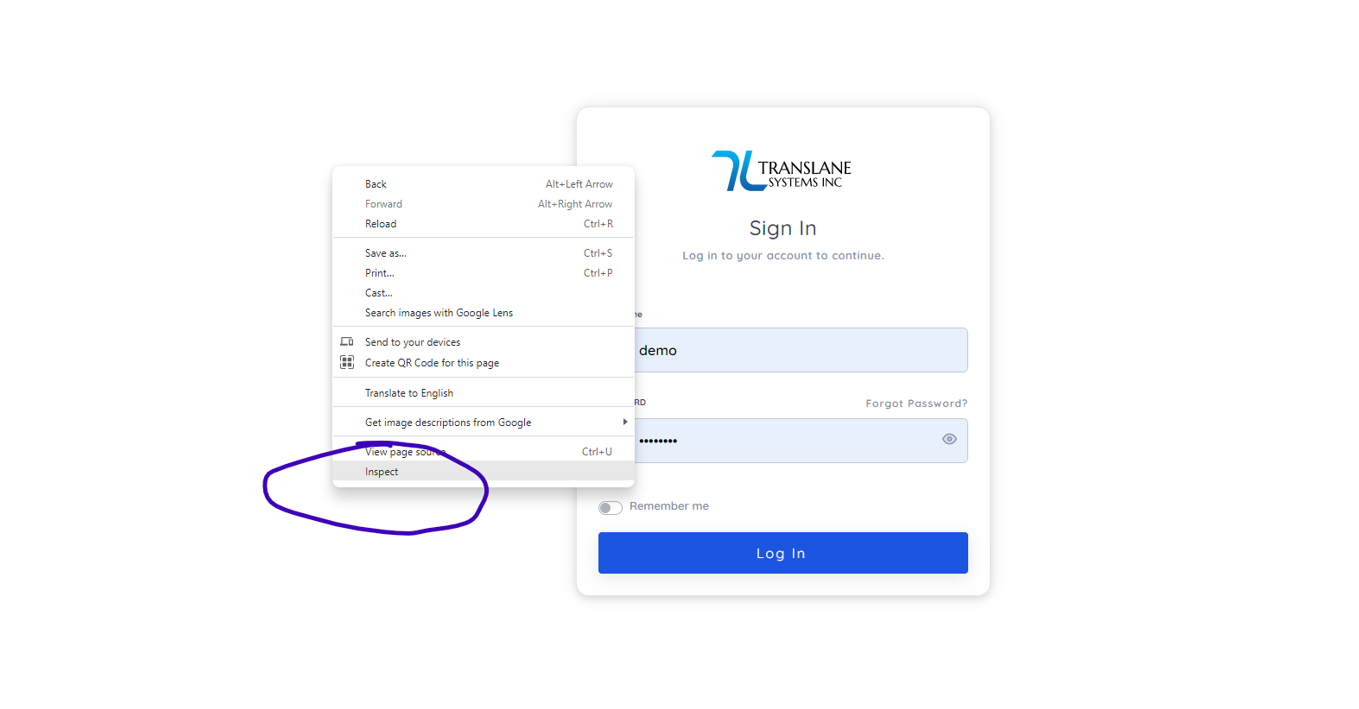
- Right click on the center of the page and click inspect on google chrome.
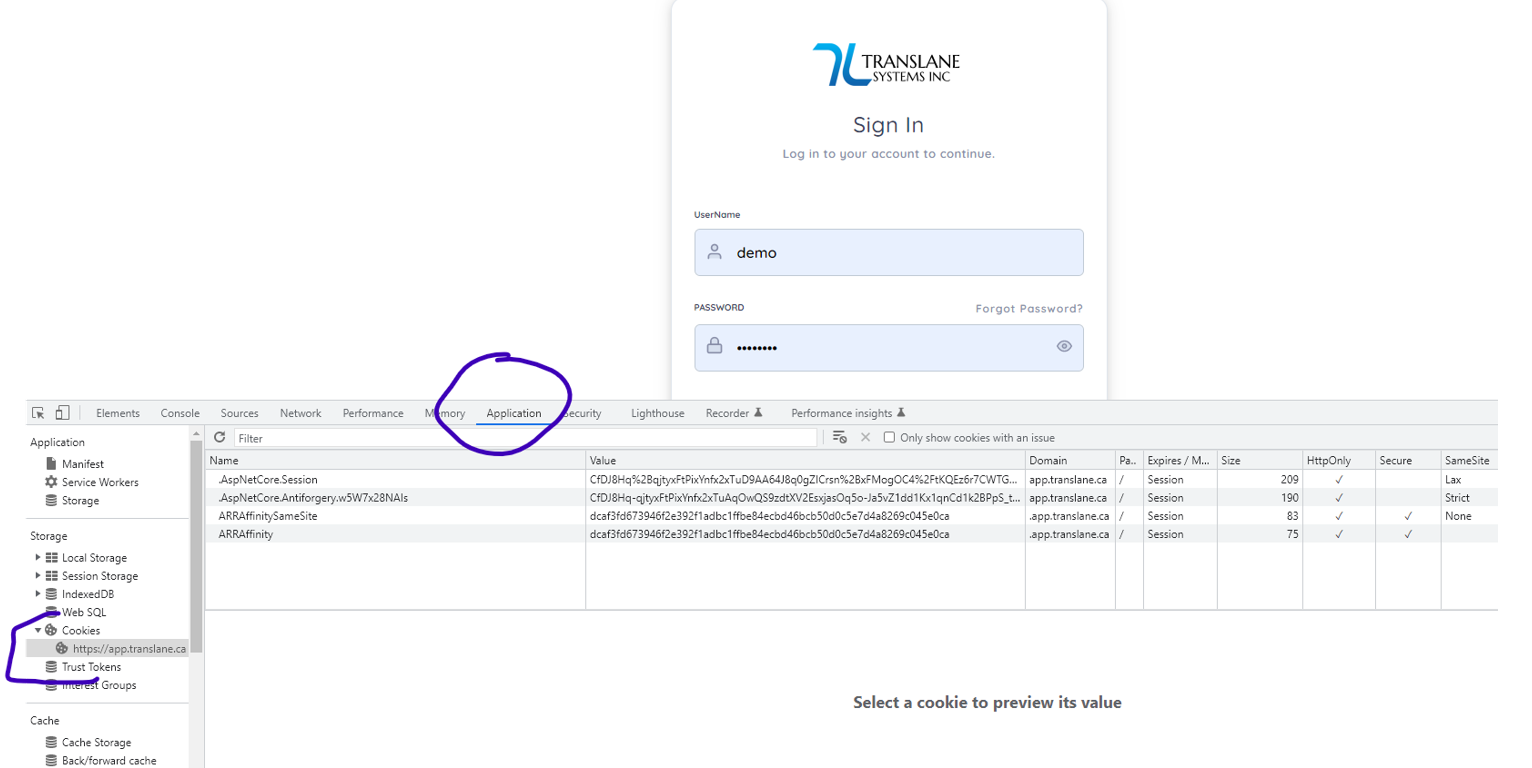
- Then click Application and then click app.translane.ca under Cookies.
- Then right click each of the items here and click delete.
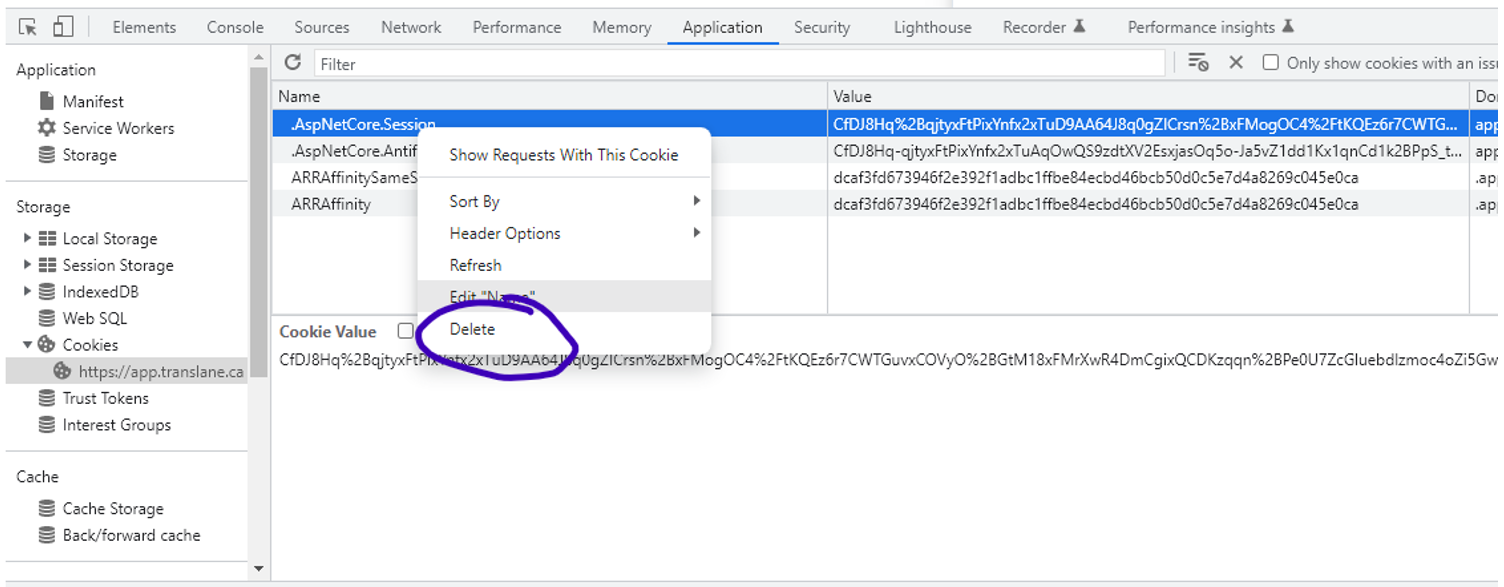
After that Error 500 will go away.